


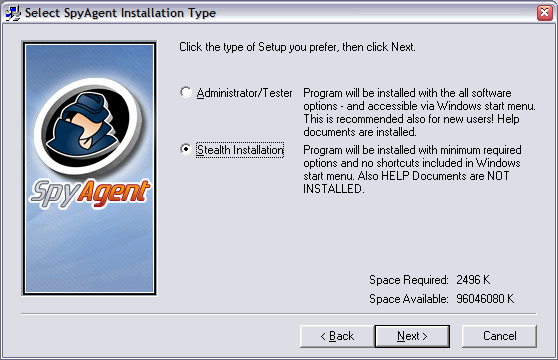
Step 3
Click through the installer until you come to this screen. This is where you
choose the install type for SpyAgent. If you want SpyAgent to not appear in
the start menu and install the bare minimum files then choose the Stealth
installation, as shown above. Click Next when you have done so.
Step: [ 1 ] - [ 2 ] - [ 3 ] - [ 4 ] - [ 5 ] - [ 6 ] - [ 7 ] - [ 8 ] - [ 9 ] - [ 10 ]

Main Page: Internet Monitoring Software |
Copyright (C) 2002 - 2022 How To Spy Internet Monitoring Software - All Rights Reserved