


Step 6 (optional)
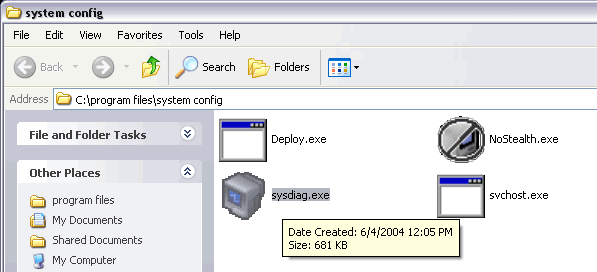
Once you are in the install directory you will see the SpyAgent files above if you have chosen Stealth install. Now, Highlight the sysdiag.exe file as shown above!
Step: [ 1 ] - [ 2 ] - [ 3 ] - [ 4 ] - [ 5 ] - [ 6 ] - [ 7 ] - [ 8 ] - [ 9 ] - [ 10 ]
[an error occurred while processing this directive]